

How to Setup Load Balancer in Cloud Hosting?
As your website traffic increases, a single server may not be able to handle all your website users efficiently. This can result in slow loading or downtime. To solve this issue, load balancing in cloud hosting is used by businesses.
A load balancer distributing traffics to multiple servers so that no single server is overloaded. This helps improve speed, uptime, and also performance.
In this blog, you will know how to set up a load balancer in a cloud server hosting environment step by step.
Know When You Need a Load Balancer
Not all websites require a load balancer. It becomes important when:
- Website traffic increases
- Applications handle numerous users simultaneously
- Downtime needs to minimized
- High availability is a required
Businesses using cloud hosting India solutions often include load balancing when scaling their applications.
Prepare Multiple Servers First
Before you setup a load balancer you need at least two servers.
These servers should:
- Run the same website or application
- Have similar configurations
- Be connected to the same network
This setup is very common in cloud hosting vps hosting where multiple virtual servers works together.
Choose Mode of Load Balancing
There is different ways of distributing the traffic.
Common methods include:
- Round Robin (Equal distribution)
- Least Connections (send traffic to least busy server)
- IP Hash (based on user IP)
Most of the best cloud server hosting platforms allows you to select these methods easily.
Set Up Load Balancer in Control Panel
After you have prepared servers, you need to login to your cloud dashboard.
Steps include:
- Go to Load Balancer section
- Add backend servers
- Select balancing method
- Set health checks
This process is included in most of the modern cloud hosting services.
Even users on cheap cloud hosting India plans can configure the basic load balancing based on the provider.

Set Health Checks for Servers
The purpose of health checks is to make sure that only active servers get traffic.
If one server goes down, traffic is automatically rerouted by the load balancer to working servers.
This feature brings an improvement in uptime in best cloud hosting environments.
Connect Load Balancer to Your Domain
After set up, you have to connect your domain with the load balancer.
This is done by updating DNS and pointing to your domain to the load balancer IP.
This step makes sure that all users enter your application through the load-balanced system.
Test the Load Balancer Performance
Test your set up before going live.
Check:
- Traffic distribution
- Server response time
- Failover handling
Many users use a free cloud hosting trial to test performance before upgrading to the paid plans.
Scaling with Load Balancer
One of the biggest benefits of load balancing is scalability.
As traffic grows, you can:
- Add more servers
- Increase resources
- Improve performance
This is why businesses choose for best cloud hosting India for long term growth.
Cost Factors of Load Balancing
By adding a load balancer, may slightly increase your cloud hosting price.
However, the benefits include:
- Better uptime
- Faster website speed
- Improved user experience
Businesses looking an cheap cloud hosting solution should balance the cost with performance needs.
Choosing the Right Cloud Hosting Provider
Load balancing performance depends on your hosting provider.
Reliable cloud hosting providers provide:
- Easy load balancer setup
- Strong network infrastructure
- High uptime
- Technical support
Companies comparing cloud hosting companies should always check these features before they buy cloud hosting.
Why Choose Hosting Home for Cloud Hosting?
If you are planning to buy cloud hosting in India, Hosting Home provides powerful and scalable cloud hosting services.
Hosting Home Cloud Hosting Features:
- High-speed cloud hosting infrastructure
- Flexible cloud hosting plans for all sizes of businesses
- Affordable and transparent cloud hosting price
- Secure and reliable cloud server hosting
- Free SSL certificates
- Free weekly backups
- Free DDoS protection
- Free migration support
- 99.99% uptime guarantee
- Free 24/7 Dedicated WhatsApp support
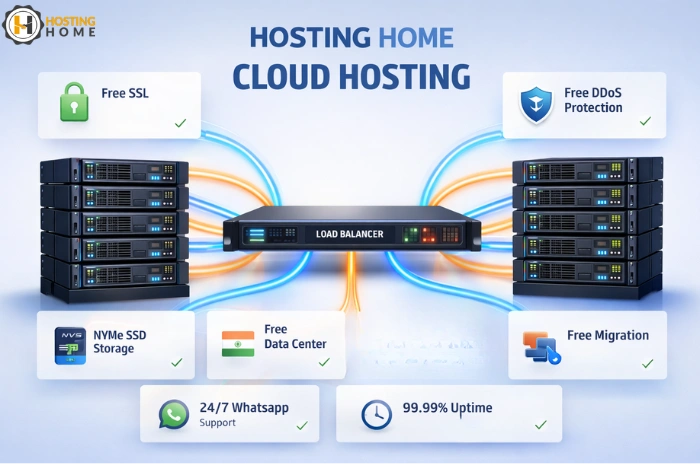
Hosting Home is one of the trusted cloud hosting providers that provide scalable and secure hosting solutions.
If you are looking the best cloud web hosting providers in India, Hosting Home will provide you with performance and security and complete support for your business growth.